
Hard Lessons in Power Loss: Protecting My Homelab With a UPS
My homelab has always been a sandbox of experimentation — trying out Kubernetes, container orchestration, monitoring stacks, backups, and more. But lately, one persistent issue has forced a rethinking of how I manage power and hardware reliability: power outages.
I live in an area where power loss isn’t exactly rare, and during one recent event, I discovered that several of my Raspberry Pi 5s had entered an inconsistent state. Their SD card storage had become corrupt again — the second time this year.
The Problem
My containerized services were split across four Raspberry Pi 5s:
pi-prod001pi-prod002pi-dev001pi-dev002
While this setup worked well in normal operation, it was incredibly fragile during any kind of power instability. Despite my best efforts — graceful shutdown scripts, better SD cards, even experimenting with NFS-backed volumes — I kept running into corruption issues. Reprovisioning the Pis repeatedly started to feel like a chore.
The Solution: UPS and NUT
To prevent data corruption during power loss, I purchased a Tripp Lite Smart1500LCD UPS and set it up using Network UPS Tools (NUT).
I plugged the UPS into proxmox-prod, my main full-sized server, and configured it as the NUT master. Here’s a snippet of the NUT server config:
# /etc/nut/ups.conf
[tripp_lite]
    driver = usbhid-ups
    port = auto
    desc = "Tripp Lite UPS connected to proxmox-prod"

# /etc/nut/upsd.users
[monuser]
    password = <secret>
    upsmon primary

# /etc/nut/upsmon.conf
MONITOR tripp_lite@localhost 1 monuser secretmon primary
From there, I installed the NUT client on my other systems — proxmox-dev, my NAS, and some of my virtual machines — so they would all shut down gracefully when the UPS goes on battery.
Here’s a basic example of the NUT client config used on those machines:
# /etc/nut/nut.conf
MODE=netclient

# /etc/nut/upsmon.conf
MONITOR tripp_lite@10.7.0.81 1 monuser <secret> secondary
This allowed each client to listen to the UPS status via the NUT master (proxmox-prod) and safely shut down when power conditions required it.
Temporary Move: VMs Instead of Pis
While I figure out a long-term solution for the Raspberry Pis, I’ve moved all the containerized workloads onto VMs:
- One VM on
proxmox-dev - One VM on
proxmox-prod
Pros:
- Nightly backups through Proxmox Backup Server
- Easy to restore if something breaks
- Only one OS per environment to maintain
Cons:
- My Raspberry Pis are sitting idle in an inconsistent state
- Their value as low-power compute nodes is currently unused
- Managing containers on bare-metal Pi devices has proven fragile under power instability
Yes, I could try Docker Swarm or even give Kubernetes another shot, but honestly, that feels like too much overhead for a homelab that serves zero external traffic. I prefer simple and reliable over distributed complexity.
Final Thoughts
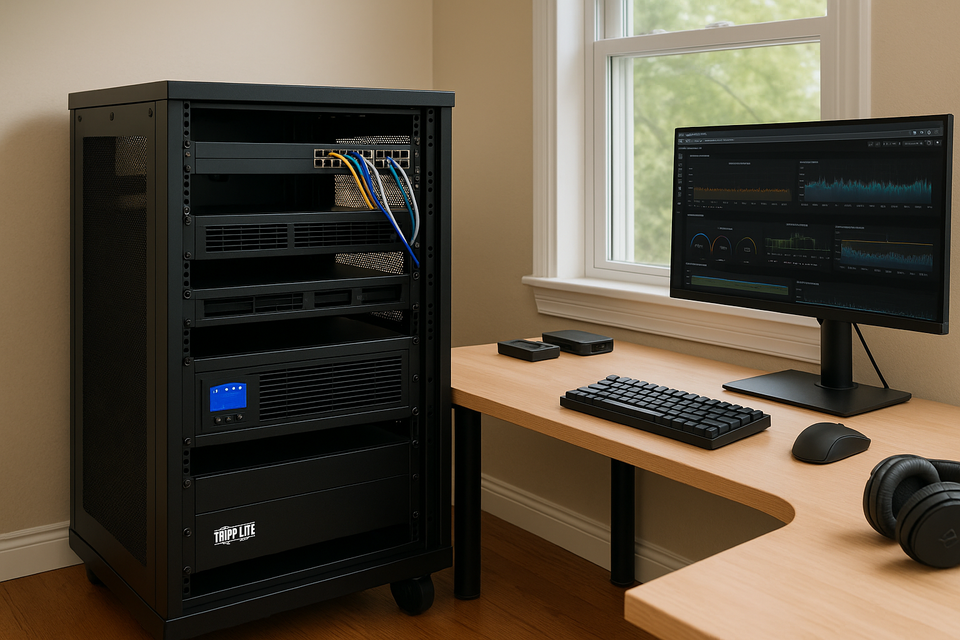
One unexpected tradeoff is that the Tripp Lite UPS adds audible fan noise to my rack. It’s not loud, but before installing the UPS, my 15U rack was almost completely silent. Now, there’s a light hum that wasn’t there before. That said, it’s a small price to pay for keeping everything safe during power events.
In the future, I may revisit the Raspberry Pis with a more robust storage strategy (like booting from SSDs), or possibly repurpose them entirely. But for now, the combination of NUT and nightly-backed-up VMs feels like the stability my homelab needs.